Workday reporting
We help finance and HR prepare recurring reviews from shared Workday records and definitions. Databasin connects the other sources involved, preserves the history and builds the report people use. Our team handles implementation and rollout so each reporting period can build on the preparation already in place.
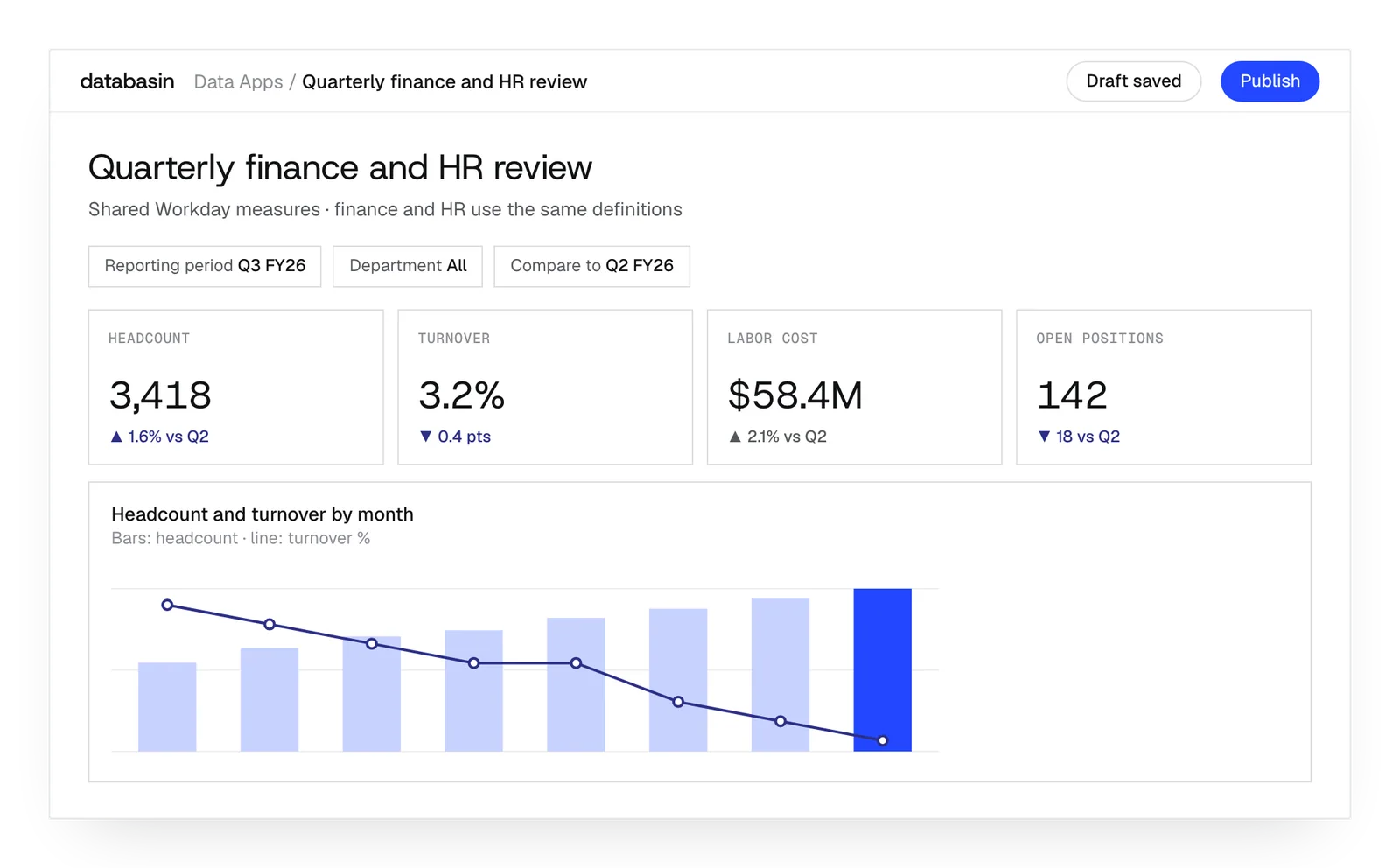





A repeatable finance and HR review
We establish the source preparation and calculations that each recurring review will use. Workday and other relevant records feed business views with the agreed measures and period rules. The report queries those views after the data is refreshed.
The history preserves the organization behind an earlier period. A June headcount review can use the manager and cost center assigned in June. Finance and HR can compare that period with later ones through a shared definition, with the source relationships resolved before the report is opened.
What we build for recurring reports
Scheduled preparation
We configure extraction and transformations so the recurring report can query its latest completed data preparation.
Period-aware measures
We connect historical assignments and shared calculations to the periods that the reporting team needs to examine.
Shared reports
We create Data Apps around the measures and views colleagues use in their regular finance and HR reviews.
How does a shared report work?
The shared Data App link opens a report whose queries use the viewer's warehouse access. Changing a period or filter runs those queries again and updates the charts and totals together.
The page and queries are saved in the application. Records remain in the lakehouse for other permitted analysis, with the definitions prepared for the report available for reuse.
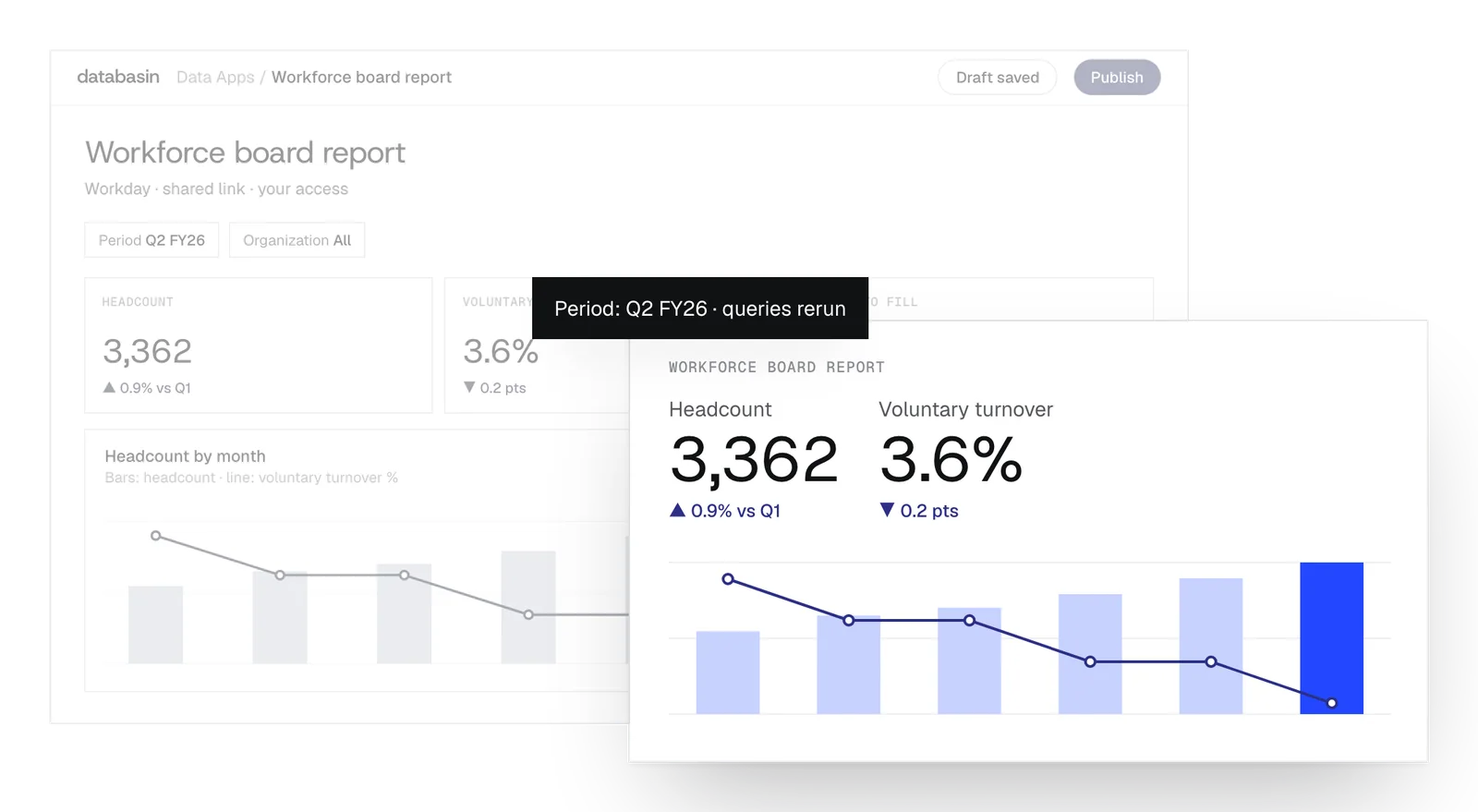
Reporting people can use together
We help users understand the report and use it in their review. Training explains the measures, the period covered and how to examine the result. Communication and rollout are part of the build, and success measurement follows the improvement established during design.
The meeting can also use those definitions for follow-up questions. A person can ask Databasin One about a number and inspect the SQL attached to the answer. That investigation stays connected to the report's underlying records and the calculation the team is discussing.
What happens next
We would like to hear where your team wants to make progress with data and AI. We can discuss a project you have in mind or explore where Databasin could help with the work.
What happens next
Book a demo
Book a conversation about your organization and the work you want to improve. Questions about where to start are welcome.
Explore the opportunity
We show a working example that answers your business questions, then discuss what it would take to deliver it for your team.
Get the first result
After agreeing the first use case, we implement it with your team. We train the people using it and measure how it performs.
FAQ
How do you arrange the access needed for a reporting project?
We provide an access checklist and discuss objects and permissions with the Workday administrator. Once the administrator establishes approved read access, we implement the connection and reporting preparation within that scope.
Do report users need to understand Workday business objects?
No. Users work with prepared measures and reporting periods. The connector handles source relationships, and our team builds the views. Training explains how to interpret the report in the finance or HR review.
How can we tell whether the latest preparation failed?
The run status and task logs show the preparation performed. Notifications can tell the responsible people whether it succeeded or failed. Those records help them examine the refresh before the next review.
Can one report compare headcount across several quarters?
Yes. Historical assignments are selected for each quarter and used with the shared headcount definition. The comparison can show organizational change with the records that explain each period's result.
Can an existing Power BI board pack become a Data App?
Yes. Data Apps rebuilds the layout and calculations on connected tables through its beta importer. The import lists elements that did not translate, which we address during the report implementation.
Can we review report changes before colleagues see them?
Yes. A revised version stays private until publication. Earlier versions are retained, and publishing keeps the existing link. Report users can continue with the published version while edits are being reviewed.
Can the board receive a file for the meeting?
Yes. CSV, Excel and PDF exports contain the selected view and filters. The file represents that moment's report. The team can return to the live app for a later period or another question.
Can another BI tool use the prepared Workday measures?
Yes. Supported BI tools and notebooks can query the prepared views through the configured access route. Their reports can reuse the measures and historical logic established for the recurring review.
Can the reporting deployment stay inside our Azure environment?
Yes. We can implement Databasin Private in your Azure tenant with your storage, keys and network. Hosted deployment and use alongside an existing platform are also options for the reporting environment.
Who maintains the recurring reporting work after launch?
Our team can run the work, provide monthly support hours or stay on call. The agreement names the ongoing responsibilities for preparation and reporting, including how changes to sources and measures are addressed.
Discuss the reporting your team needs
Talk with us about the reviews your finance and HR teams repeat and the questions people ask during them. We can explore how Databasin could help prepare the data and make the report useful.