NetSuite reporting
We help finance and operations explain business performance using NetSuite and the other systems involved. Databasin connects the records, prepares shared measures and builds Data Apps for recurring reviews. People can examine the numbers and ask follow-up questions, with our team handling implementation, rollout and support.





Reporting across finance and operations
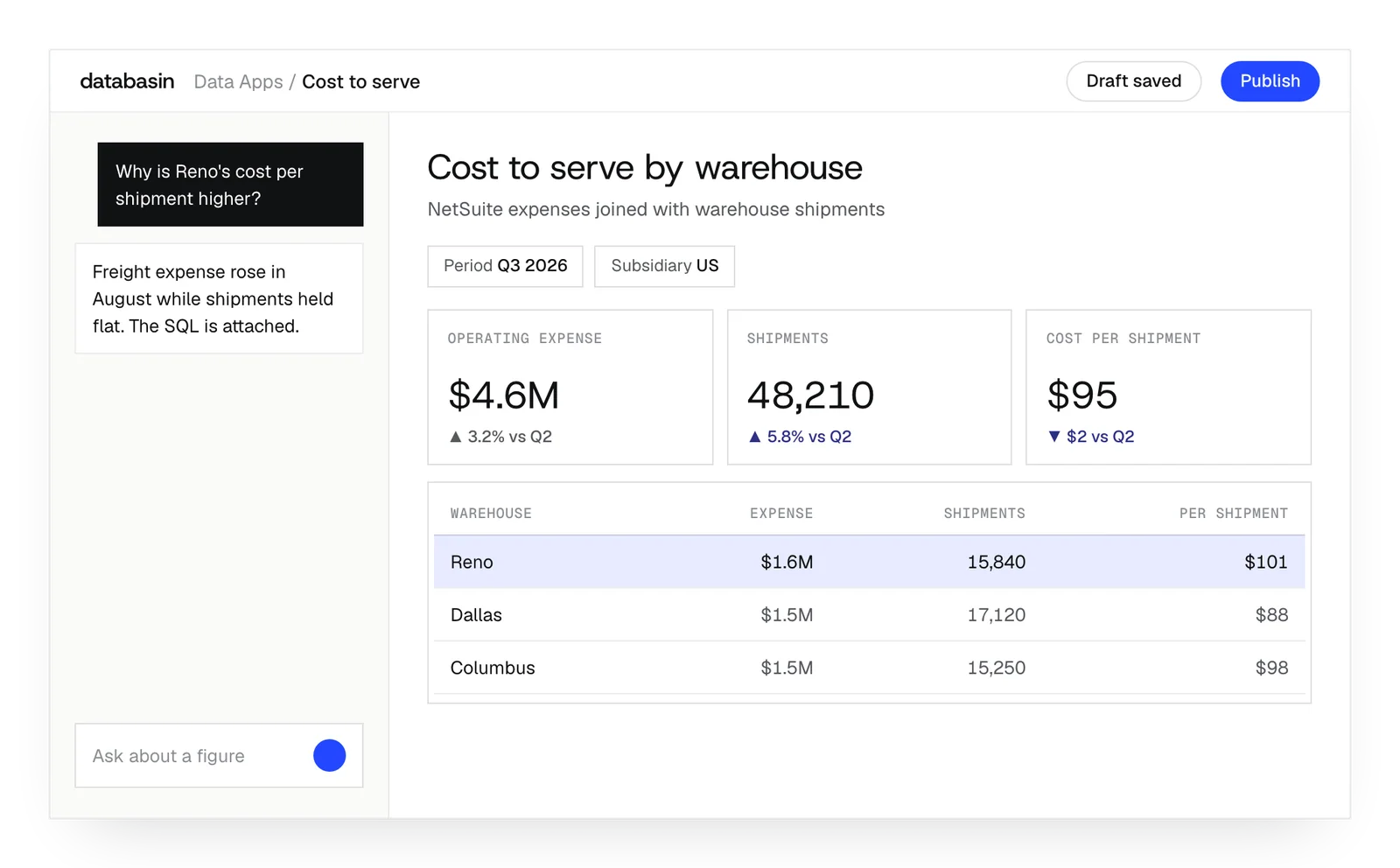
We connect the records that explain a financial result across systems. Finance and operations define the measure and period with us; we prepare the relationships between NetSuite and the other sources it needs. The report can then use those records together.
An order review, for example, may need sales activity beside NetSuite financial records. We build that combined view so people can investigate the question and repeat the review later. Scheduled preparation reuses the source relationships, while the organization continues recording transactions in NetSuite.
What we prepare for reporting
Connected records
We match NetSuite records with the other business sources needed to explain the report's results.
Shared calculations
We implement the agreed calculation in a business view that reports and plain-language questions can use.
Recurring preparation
We arrange scheduled preparation so the next review can use the source relationships already established.
How does the report stay current?
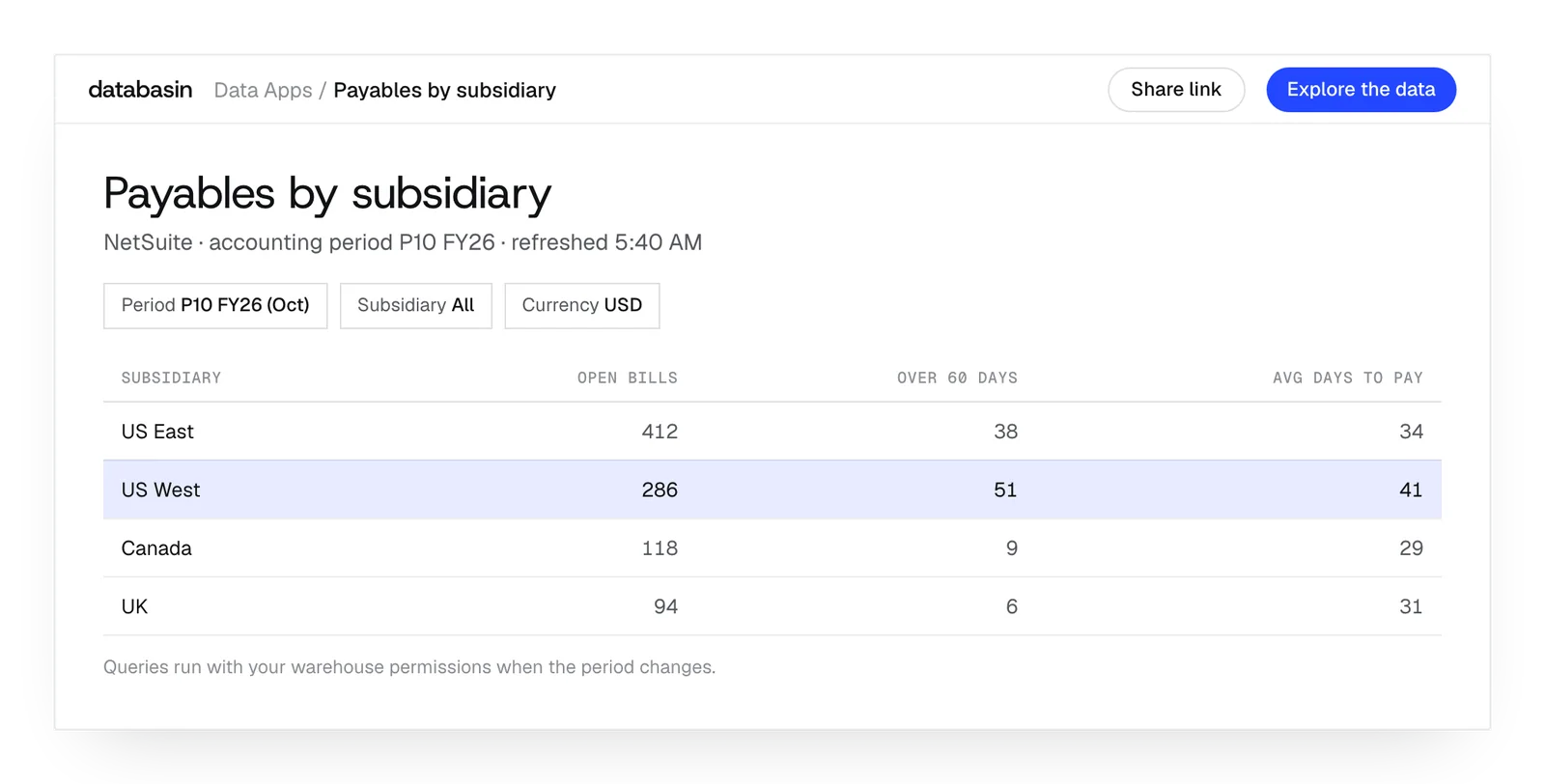
A Data App queries its tables when opened and again when a filter changes. The viewer's warehouse permissions apply to those queries, and the totals and charts update together.
The page and queries are stored in the app. The underlying records stay in the lakehouse and reflect the configured live route or completed refresh. The reporting period tells readers which records they are examining.
What happens next
We would like to hear where your team wants to make progress with data and AI. We can discuss a project you have in mind or explore where Databasin could help with the work.
What happens next
Book a demo
Book a conversation about your organization and the work you want to improve. Questions about where to start are welcome.
Explore the opportunity
We show a working example that answers your business questions, then discuss what it would take to deliver it for your team.
Get the first result
After agreeing the first use case, we implement it with your team. We train the people using it and measure how it performs.
FAQ
Will our staff continue recording transactions in NetSuite?
Yes. NetSuite remains in use for transactions. Databasin prepares its records for questions spanning business systems. We define how findings return to the existing process where people make and act on decisions.
Which sources can add context to NetSuite records?
The catalog includes HubSpot, Salesforce, Workday and SQL Server. We connect the records relevant to the review and align their definitions and periods with the NetSuite data.
Can we compare previous reporting periods?
Yes. A scheduled pipeline can retain records for comparison. We examine the history available from the source and prepare the period logic so the report can compare the required dates.
Does opening a report refresh NetSuite itself?
No. The app queries its tables. They reflect either the configured live route or a completed sync, with freshness limited by the source's updates and preparation schedule.
Will a NetSuite calculation automatically appear in Databasin?
We inspect the source logic for each required measure. Some calculations need implementation in the prepared business view. We build that logic so the definition applies across the connected reporting records.
Can users investigate a result without requesting another report?
Yes. People can ask Databasin One about the governed views and inspect the SQL in its answers. Follow-up questions use those same definitions and the person's permitted data access.
What happens when we change the Data App?
Each change is saved as a private draft until publication. Earlier versions stay available, and the published link is retained. Requests can be made in plain language; underlying data changes can be included in ongoing support.
Can a Power BI report provide the starting layout?
Yes. Import is in beta. Data Apps uses connected Databasin tables to recreate the Power BI layout and calculations, and lists the elements that need further work in the rebuild.
Can sales and finance see different records in the same app?
Yes. Queries use each person's warehouse permissions. We configure those permissions for the audiences sharing the app. The application keeps the page and queries while the underlying records stay in the lakehouse.
Who helps people adopt the new reporting process?
Our team handles implementation, communication, rollout and training. We measure the improvement defined during design as the application enters use. Afterwards, support can mean our team operating it, monthly support hours or help on call.
Discuss your NetSuite reporting
Talk with us about the numbers your teams need to understand and the reporting work they repeat. We can explore how connected records and a shared application could help them answer the next question.